Chrome extension · free
The same trainers for less, in your size
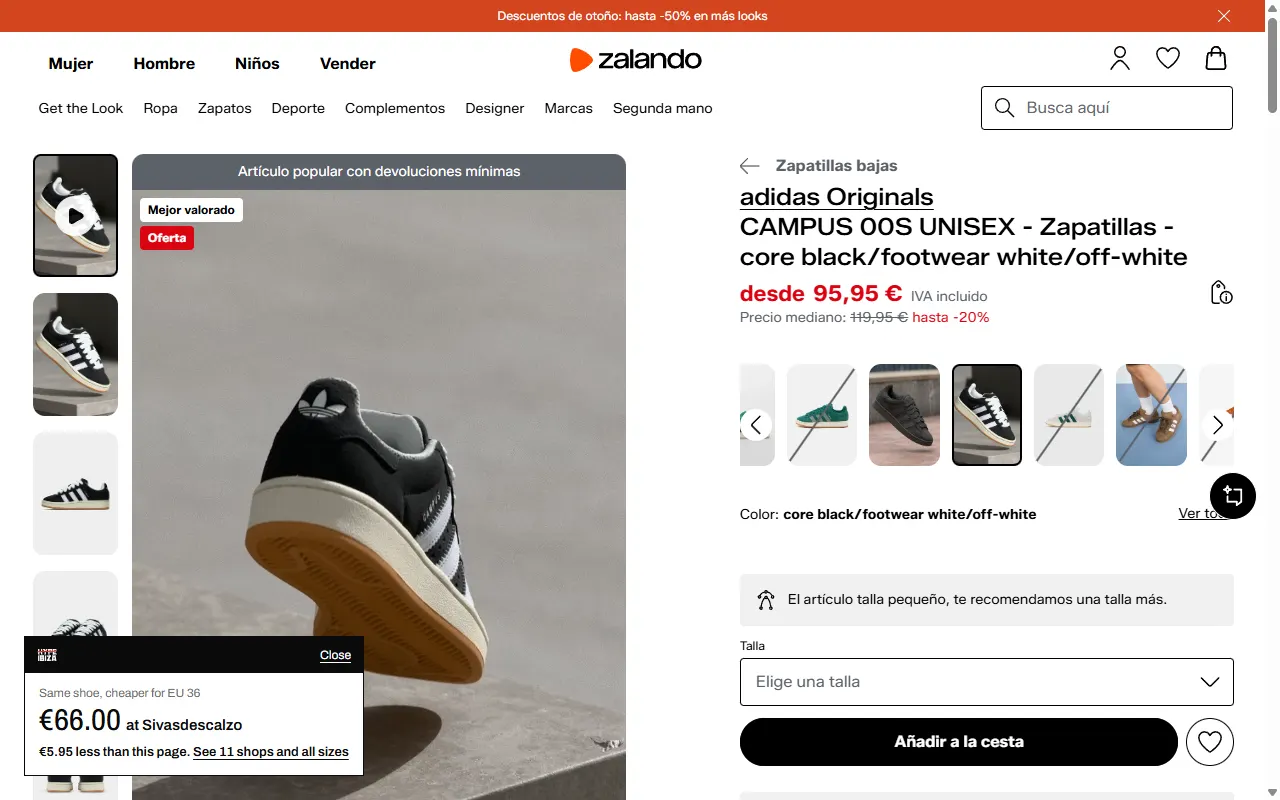
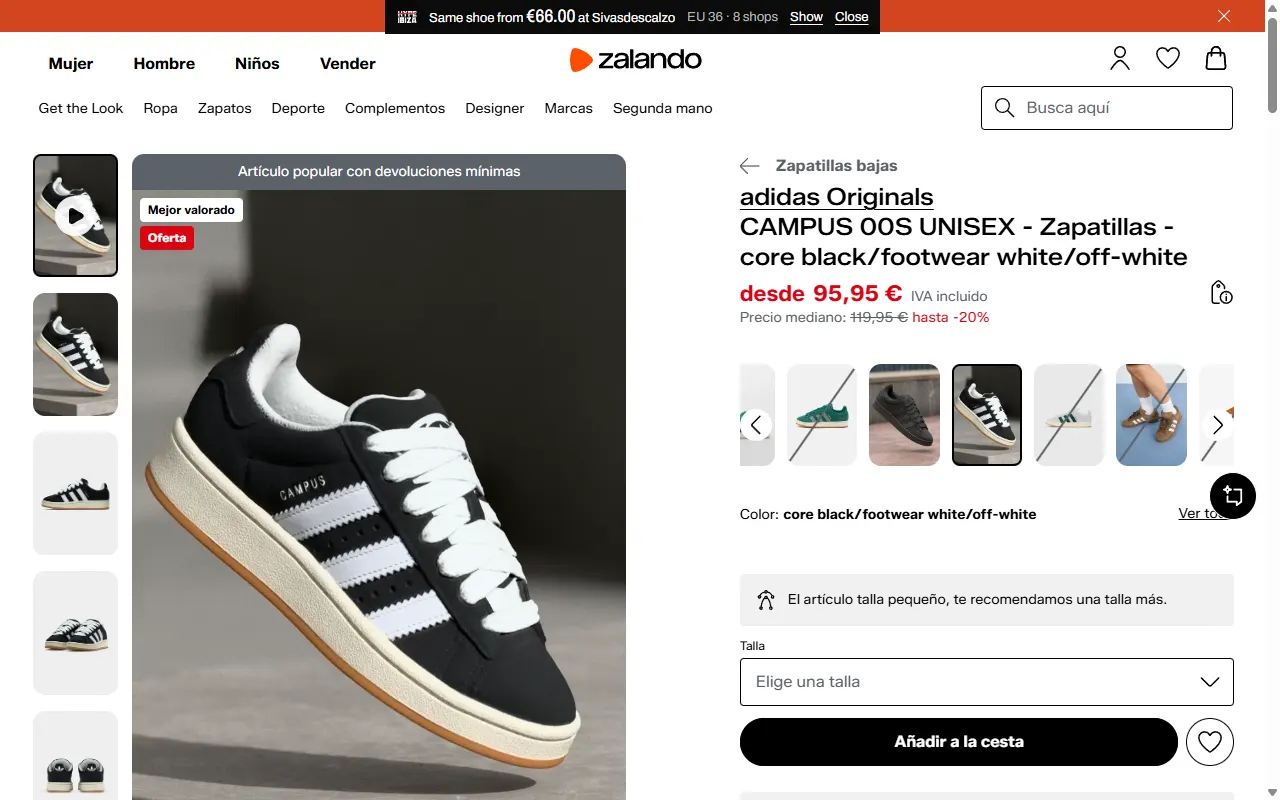
Open a product on any shop. When another shop has the same item for less, or has your size, a card shows in the corner of the page with a button to that shop.
Free. For Chrome on a computer.
01
How it works
1
Add it and allow it
Add the extension from the Chrome Web Store. On the first page, click “Allow on all sites”. Nothing is read before that.
2
Pin it
Click the puzzle icon to the right of the address bar, then the pin next to HYPEIBIZA. On a product page, the number on the icon is how many other shops have the item.
3
Shop as usual
Open a product on any shop. When we have it, the card shows the lowest price and the shop. Click the icon to see every shop and size.
02
What you see
Cheaper at another shop
The card names the shop with the lowest price and gives one button to it. When the saving is for your size, it says how much less.
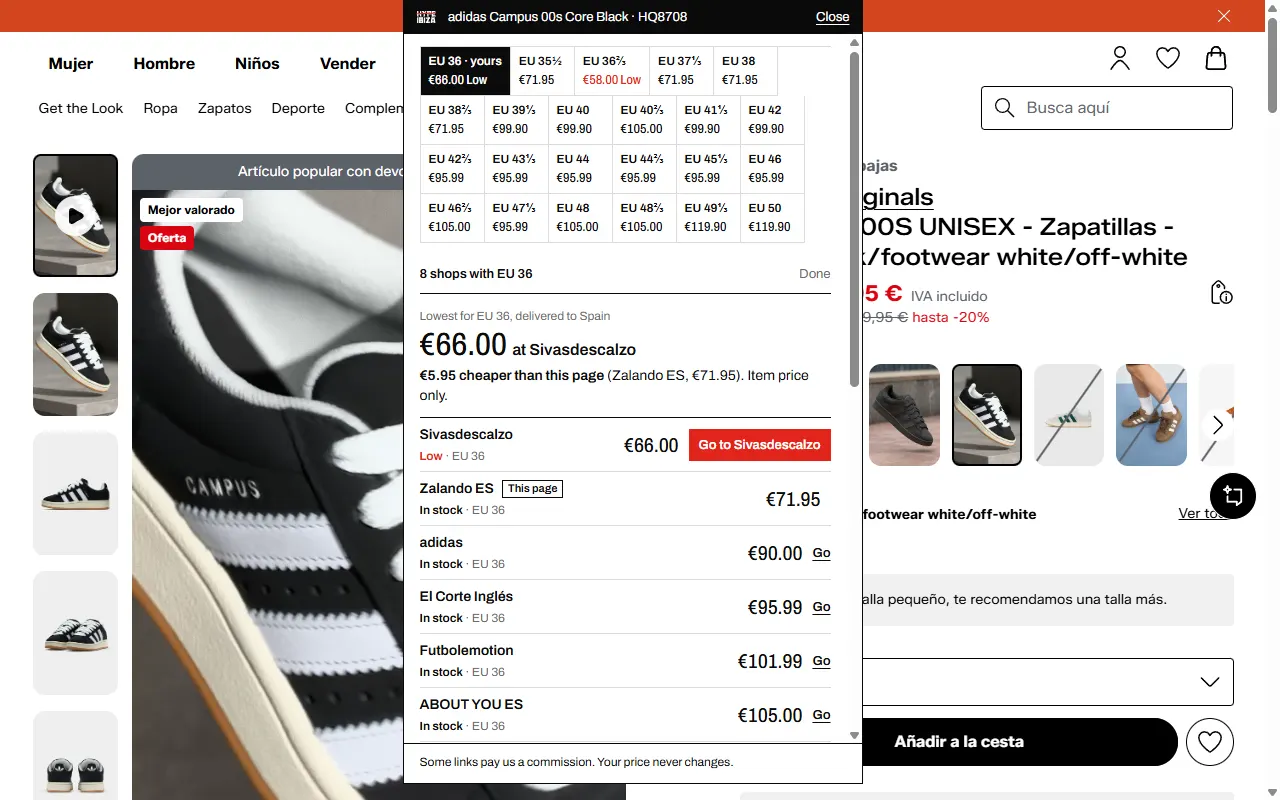
Every size, every shop
Size chips list the lowest price for each size. Your size comes first. Low stock shows as Low.
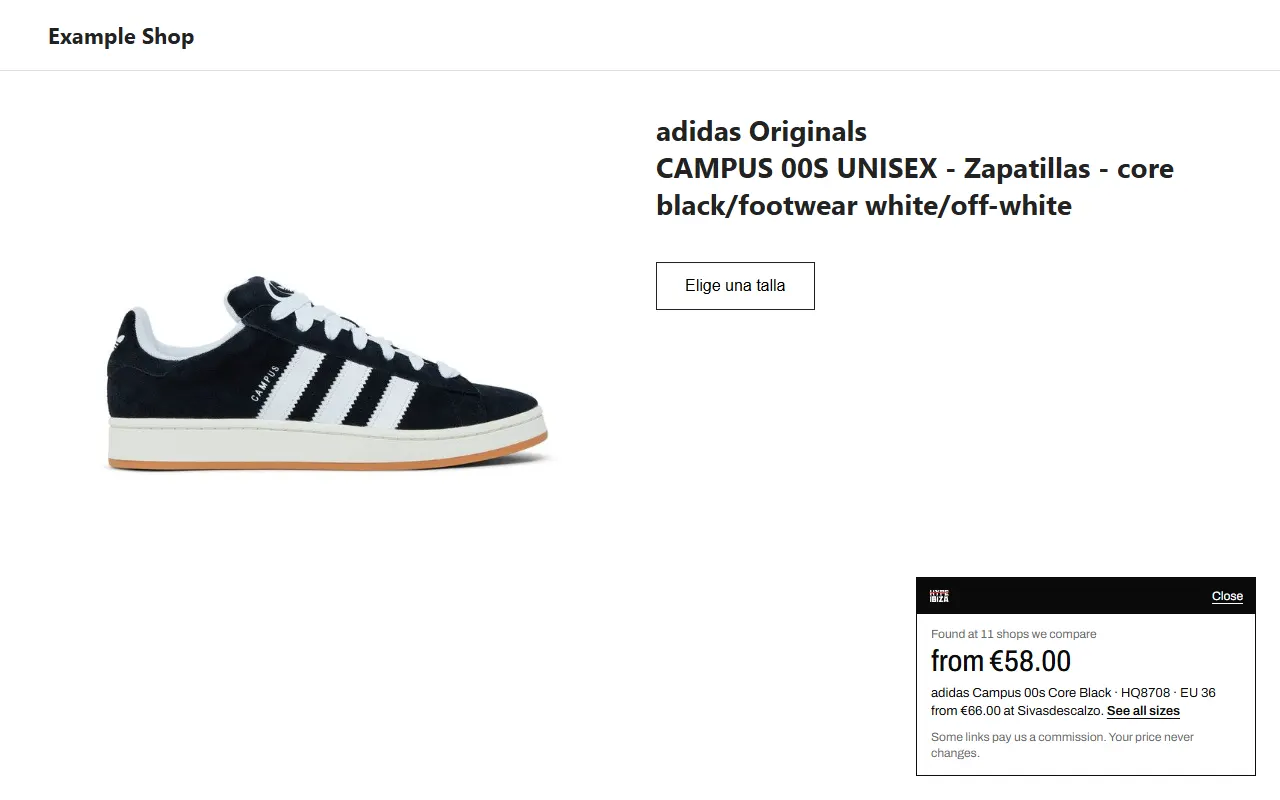
A shop we do not compare
On any other shop, the card says how many of our shops have the item, and from what price.
Prefer something smaller
Switch to a slim tab at the top of the page in the settings, or turn the extension off on one site from the card.
03
What it reads
- Read, only on product pages
- The product name, model code and barcode (GTIN)
- The price and currency
- The size you chose
- The page address
- Never read
- Searches, other pages or your history
- Your account, basket, payment or any form
- Anything on a site you turned off or paused
The product data goes to hypeibiza.com to compare and is not stored with anything that identifies you. The extension never changes a page or a link on it. Privacy policy
04
Questions
- Is it free?
- Yes. Some shops pay us a commission when you buy through a Go button. Your price does not change.
- Does it change the shop's links or add codes?
- No. It never changes a link on the page. It opens a shop only when you click its button.
- Why does nothing show on a page?
- No shop we compare has the item for less, or we do not have the product yet. Click the icon: it says what it found on that page. Tabs that were open before the install need a reload.
- Can I pause it?
- Yes. Pause it for an hour or until tomorrow in the settings, or turn it off on one site from the card.
- Is there a version for Safari or Firefox?
- Not yet. On a phone, use the HYPEIBIZA app.
Free. For Chrome on a computer.
On your phone: the HYPEIBIZA app.